

SMARTi
First time setuP
This section covers how to get started with the SMARTi HUB and the steps you have to take to in order to start using your new smart home.
STEP 1
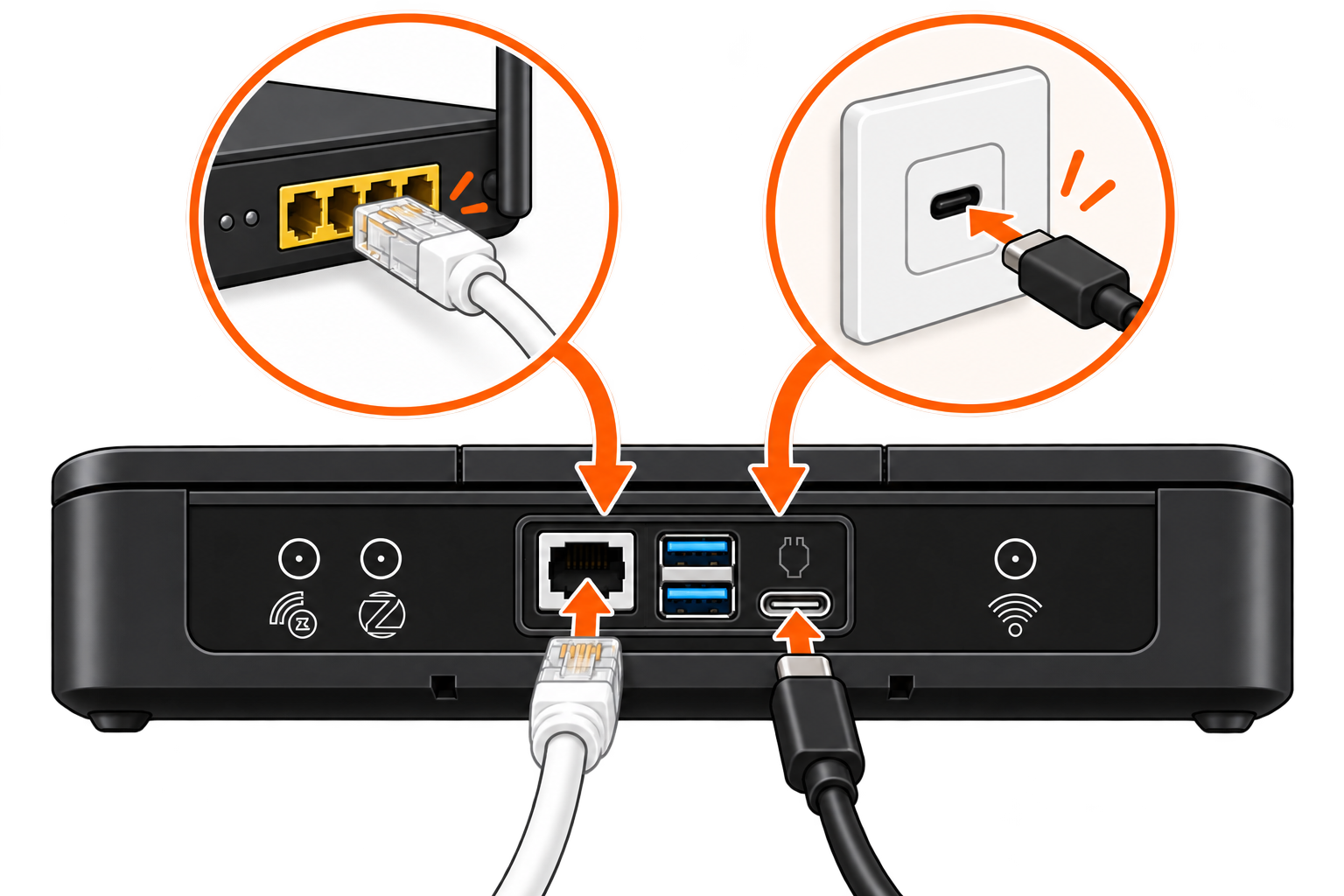
Connect your new SMARTi HUB to your local network using your local router using the supplied ethernet cable, then connect the power using the USB-C.
STEP 2
Look for the Wi-Fi name:
SSiD: SMARTi
Connect to it using the device of your choice. The password for the SMARTi WLAN well be sent to you by email.
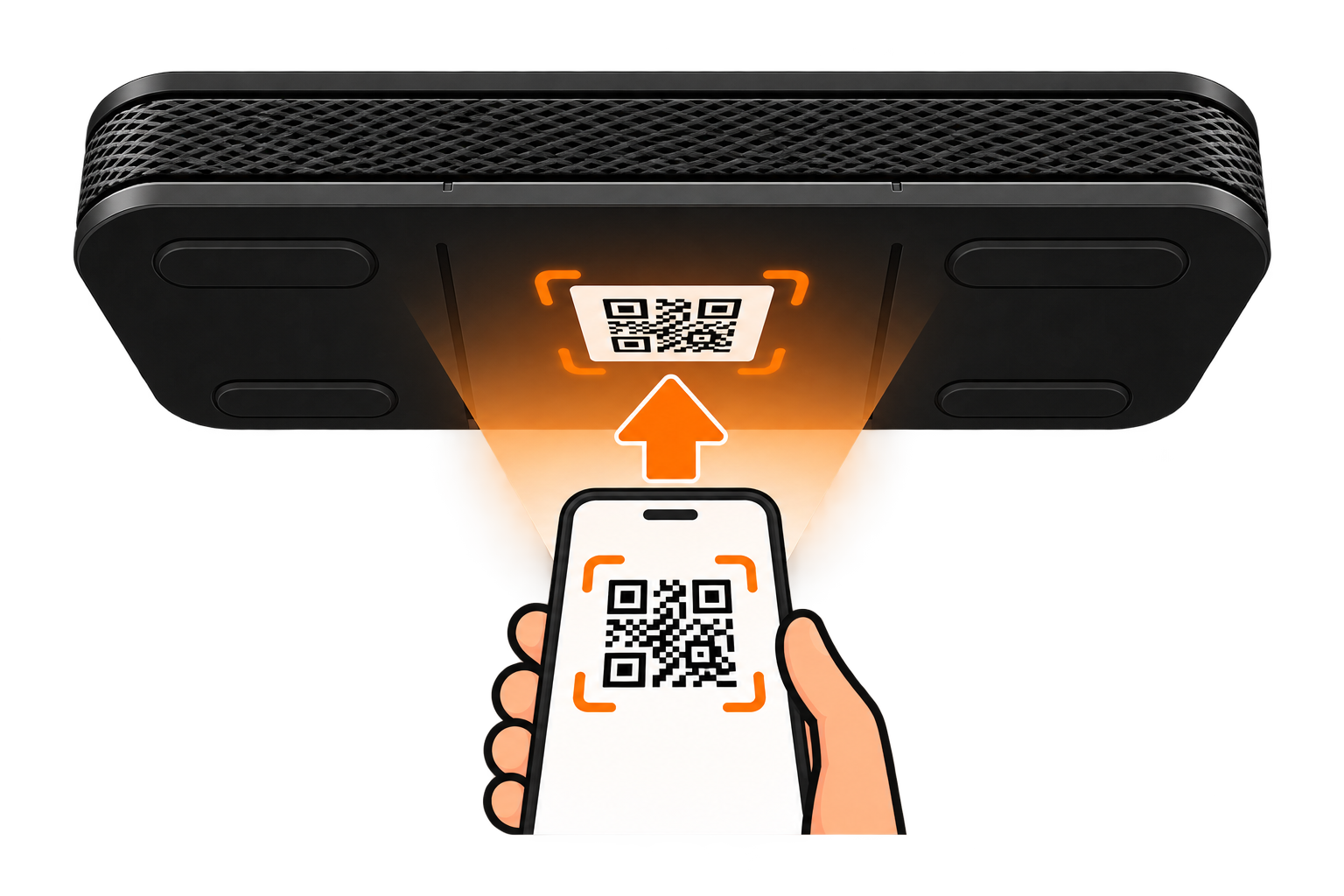
Scan the QR code underneath the SMARTi hub with your phone and download our app form the Apple App Store / Google Play Store
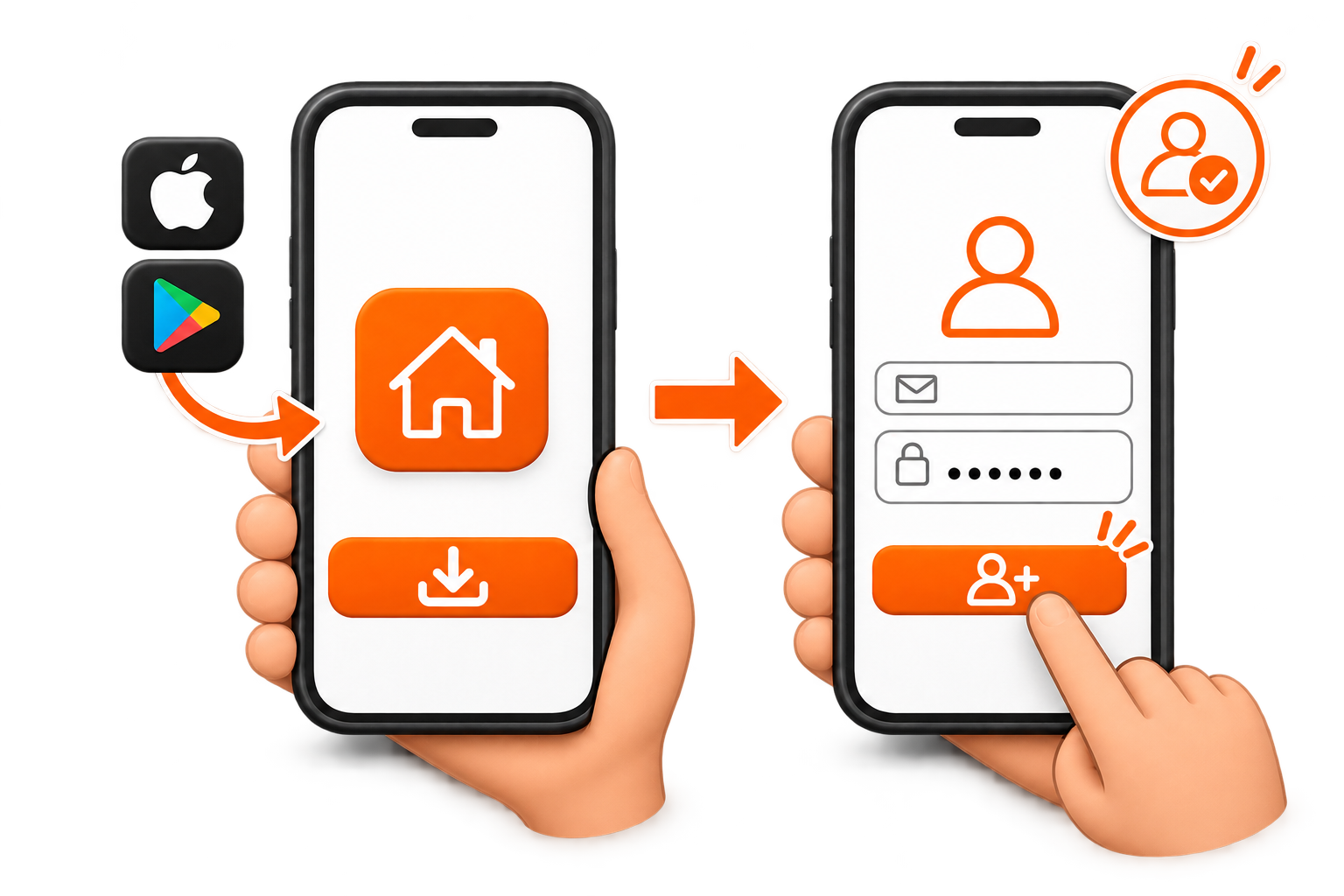
Download the app, and create your user, then proceed to add your new home
STEP 4
After you have successfully connected to the SMARTi Wi-Fi you now have 2 choices:
1


Download the Home Assistant Application from the Apple App Store of the Google Play Store

2
Select your Home Assistant server within the Home Assistant App:
http://smarti.local:8123
Go straight to the following URL on you PC or mobile device in a browser:


STEP 4
Follow the on-boarding procedure presented when logging into the SMARTi HUB
